Metadata
Metadata encapsulates crucial information about a machine learning model, including hyperparameters, training data details, and evaluation metrics. This concise summary enhances model understanding, reproducibility, and collaborative efficiency.
Allowed operations that users can perform on the platform are:
- Add Metadata
- Preview Metadata
- Update Metadata
- Delete Metadata
But before moving on to the operations of metadata lets see what are the different types of metadata.
Note:
Metadata of models and model versions can be accessed from their respective metadata browser.
Types of metadata
In Scalifi Ai's Model Catalog Service (MCS), metadata enriches model management by attaching additional, relevant information to models or model variations. MCS supports two primary types of metadata: Simple Type and Storage Type. Each type caters to specific needs and accommodates different use cases.
Simple Type Metadata
- Simple Type Metadata is designed to store basic information in key-value pairs where the value is a primitive data type. This metadata type is optimal for labelling models with straightforward data that aids in categorization, search, and brief descriptions.
- Characteristics:
- Data Types Supported: Strings, integers and floats.
- Use Cases:
- Adding key performance metrics like accuracy, precision, recall, F1 score etc.
- Adding version/variation descriptions.
- Example:
- A model could have simple metadata with the key version and a string value 1.0, or accuracy with a float value 0.95.
Storage Type Metadata
- Storage Type Metadata allows for the attachment of files and complex data structures, providing a robust means to include supplementary materials essential to the model. This metadata type supports various file formats, enhancing the model's utility with rich, accessible content.
- Characteristics:
- Data Types Supported: All file types including images, PDFs, Markdown, HTML, audio, and video files.
- Preview Functionality: Scalifi Ai's MCS offers preview capabilities for most common file types, allowing users to view content such as HTML graphs directly on the platform or through the command line interface (CLI). This feature is particularly useful for visualizing model outputs, reviewing documentation, or examining model configurations without downloading files.
- Use Cases:
- Attaching training data, model weights, or configuration files that are crucial for the model’s operation.
- Storing and previewing graphical outputs as HTML, instructional videos, audio commentary, or annotated images that describe or demonstrate the model's use.
- Example:
- A machine learning model used for image processing might include metadata with an .html file showing visualizations of the model’s performance on test data. Alternatively, a speech recognition model could have an .mp3 file attached as metadata, demonstrating its output capabilities.
Add Metadata
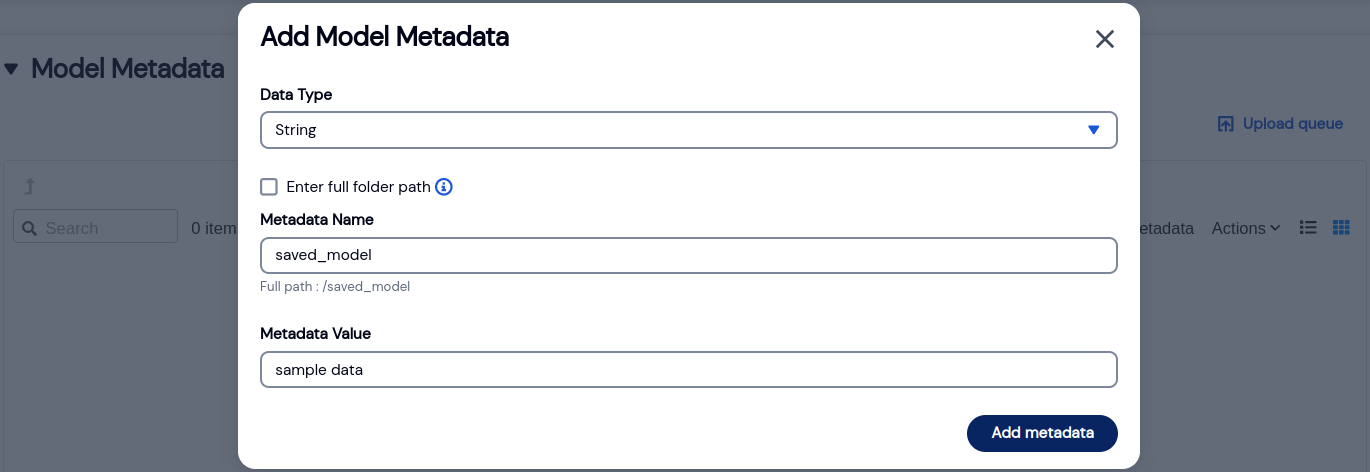
- To add metadata, click on Upload metadata under Metadata.
- Scalifi Ai supports String, Integer, Floating point and file data type.
- To add String, Integer or Floating point type metadata:
- Select the required data type from the dropdown menu.
- Add metadata name and value.
- Click on Add metadata button.
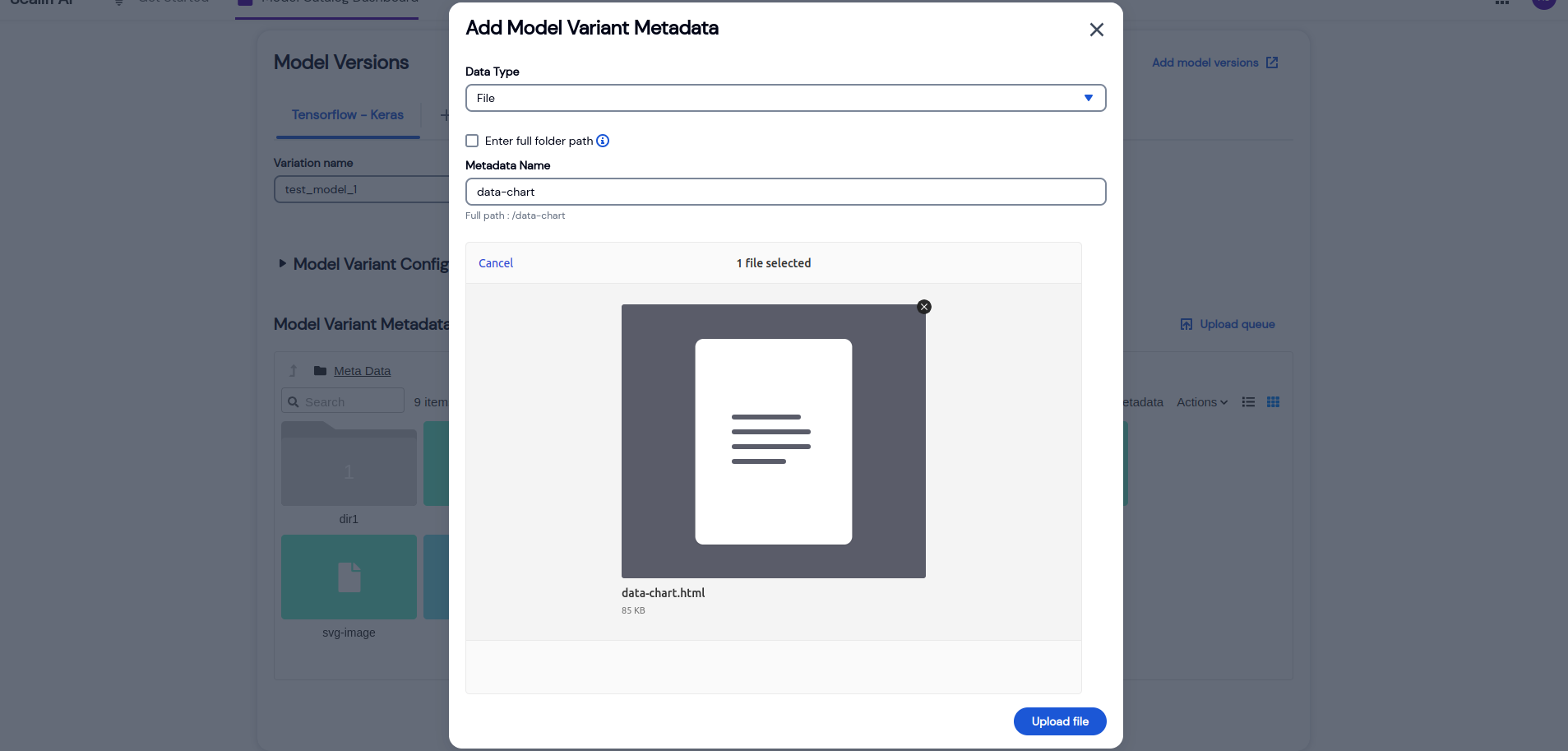
- Tp add file type metadata:
- Select file type from the dropdown menu.
- Browse / drag-and-drop the required files.
- Click on Upload file button.

Preview metadata
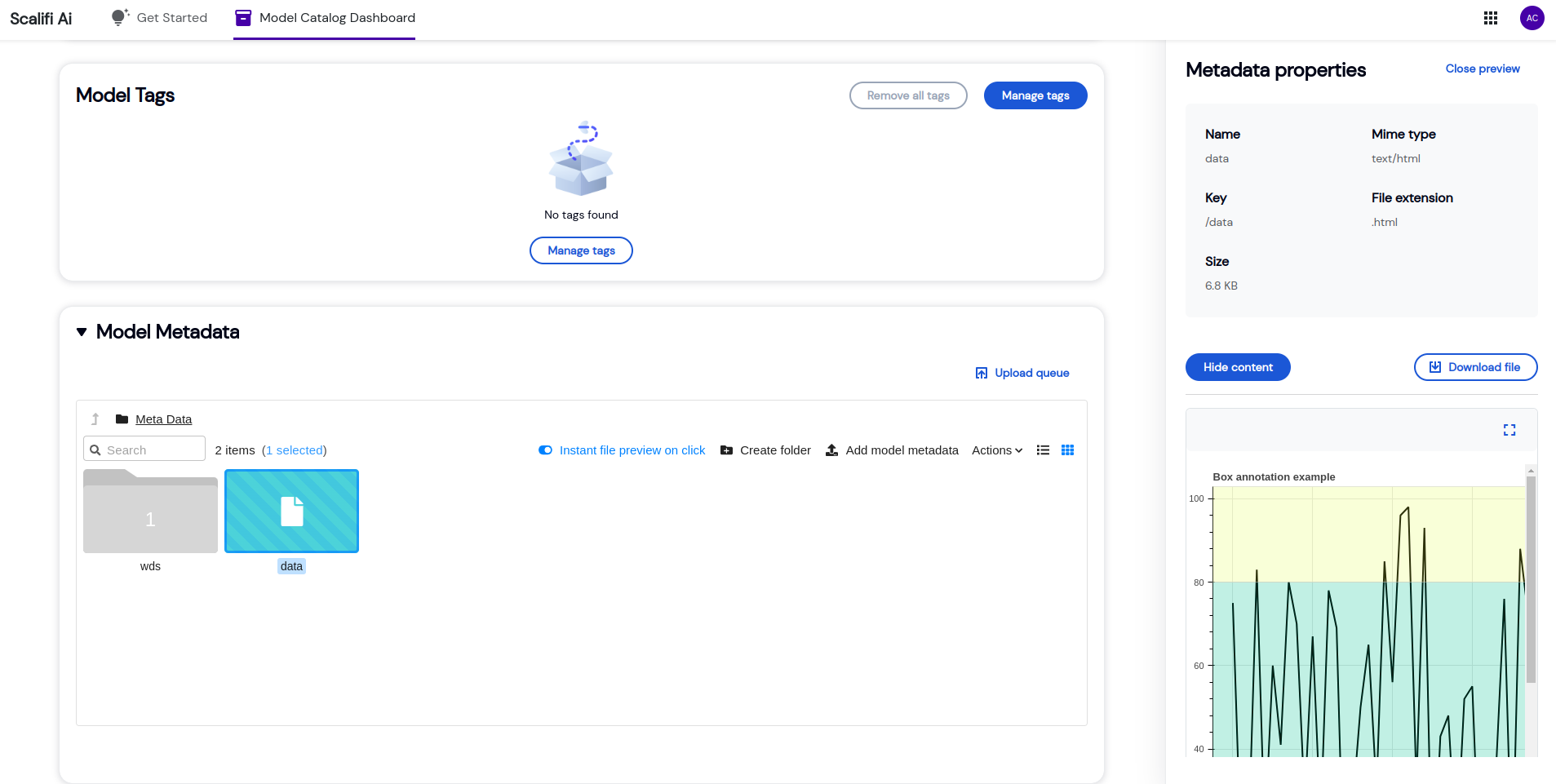
- To instantly preview the metadata, enable Instant file preview on click from the toolbar and click on the metadata to preview its properties.
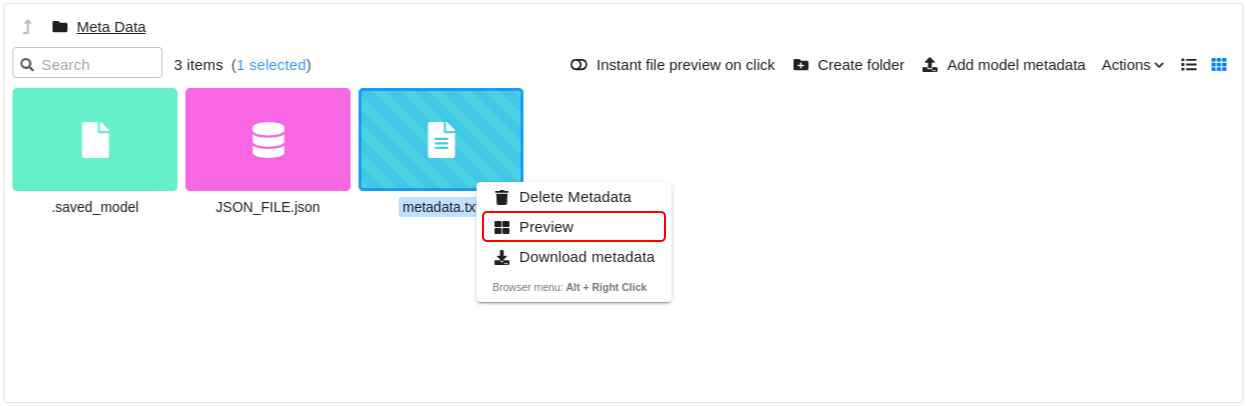
- Else, right click on the metadata.
- Click on Preview action.
- To view/hide the content, click on View/Hide content button.
- To download the metadata, click on Download file in properties section or right click on metadata and then click on Download Metadata option.

Update metadata
- Right click on the metadata.
- Click on Update metadata action.
- Change data type as per the need and enter the updated value.
- Click on Update.
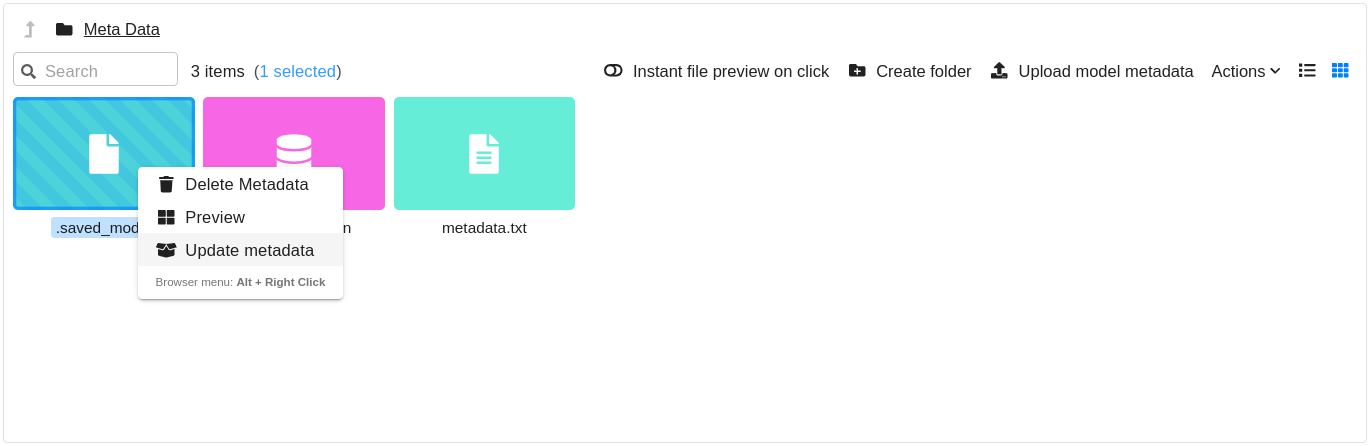
Update Model Metadata Action Model Catalog - Scalifi Ai

Update Model Metadata Model Catalog - Scalifi Ai
Delete metadata
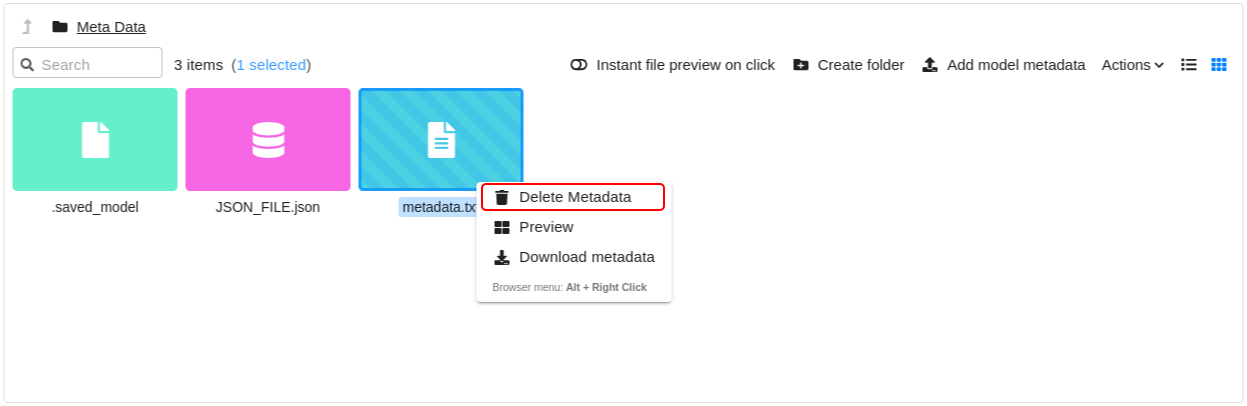
- Right click on the metadata.
- Click on Delete metadata action.